A creative studio for educators
Your teaching.
Beautifully
delivered.
Prepare ahead or capture ideas as you teach. Turn them into beautiful, interactive lessons your learners can explore.
How Lesson Studio works
Create in a workspace.
Build the lesson page by page.
Use Canvas, Notes, Sketch and more to make each part of your teaching. Post the result to your lesson as a page, put the pages in order, then present the finished lesson or share it with learners.
Choose a workspace
Give each idea the right place to take shape.
Draw an explanation, develop your thinking, make something interactive, or bring in useful material from the web. Start wherever the idea fits best.
Canvas
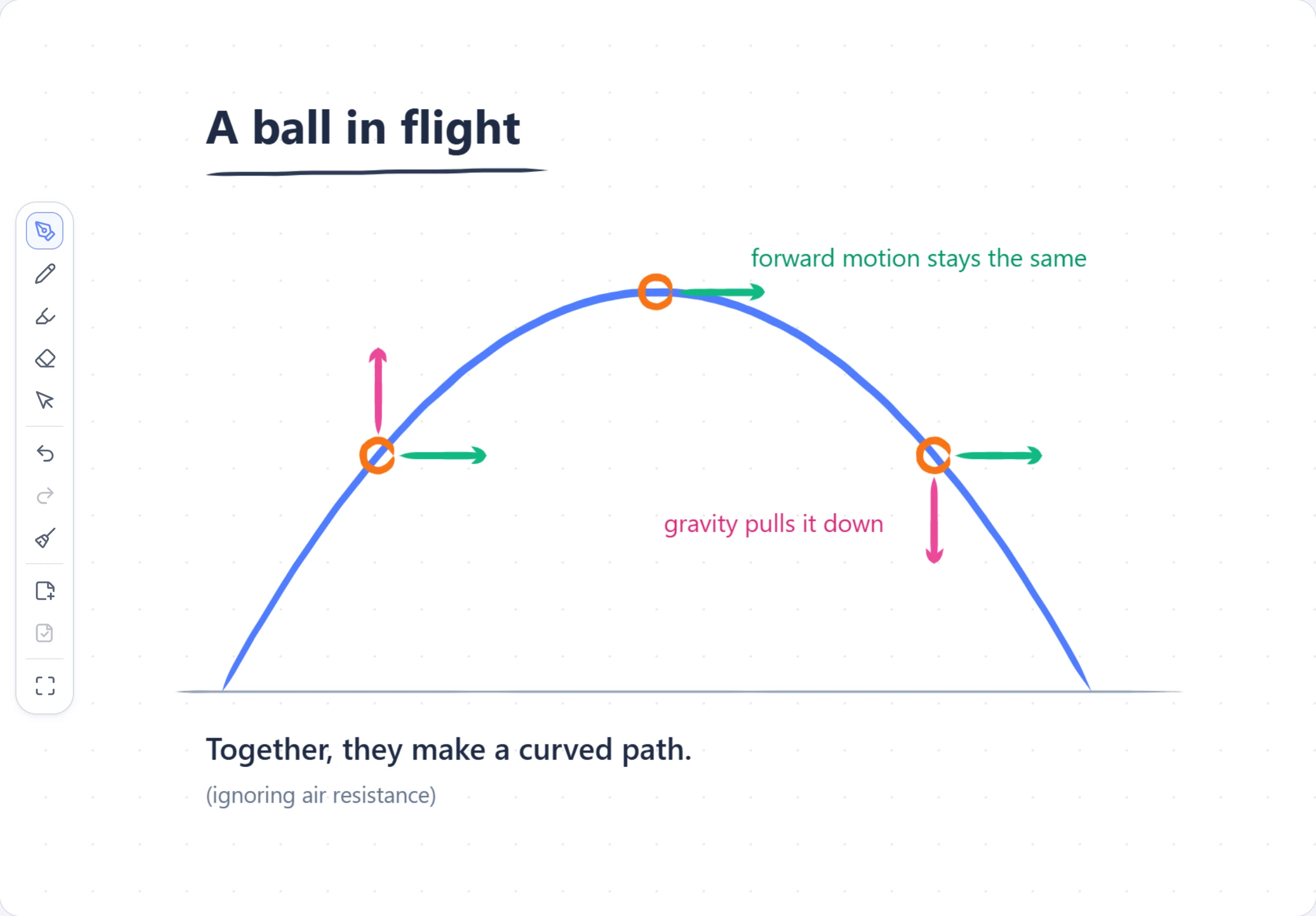
Write, draw and explain. Start with a blank canvas. Add handwriting, shapes and images, or capture an explanation as you teach. Post your canvas into the lesson as a page.
Notes
Give your ideas room to develop. Build clear explanations with headings, lists, tables and maths. Write directly on the page, then bring your notes into the lesson alongside your other content.
Diagrams
Make relationships visible. Create precise diagrams with values learners can adjust. Explore how a change affects the picture, then add the diagram to your lesson.
Sketches
Let an idea move. Create visualisations and simulations with code or help from AI. Run the sketch, explore its controls, and include it as an interactive lesson page.
Python
Connect code with its results. Write and run Python, inspect variables, and explore output and plots. Bring a worked example into your lesson so learners can follow the reasoning.
Web
Bring the web into your lesson. Keep useful reading, videos and web activities together. Add supported content to your lesson, or give learners a link to explore the original page.
Flashcards
Make space for recall. Build a set of questions and answers, then add it to your lesson. Learners can work through the cards and reveal each answer when they are ready.
Keep it independent
Support Lesson Studio.
The Lesson Studio web app is free and independently built. If it saved you planning time or helped you teach a better lesson, you can support its continued development. Contributions are entirely optional and are separate from the desktop app.
Make the next lesson
Start with one idea.
Build from there.
Open Lesson Studio, choose the workspace that fits, and turn your work into a lesson when it is ready.